
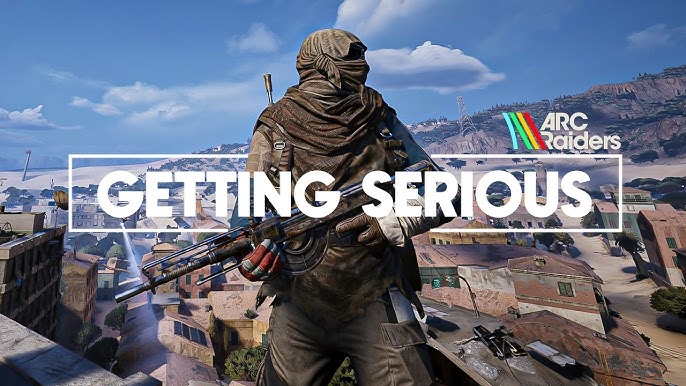
ARC Raiders is a high-stakes, extraction-based shooter where precision and rapid response are the keys to survival. Mastering the ARC Raiders PC keyboard controls is essential for navigating the machine-infested landscapes of Everon and successfully extracting with your loot. This guide provides the most up-to-date default keybindings for the 2026 version of the game, ensuring you have every tactical shortcut at your fingertips.
In a game where a single misplaced step can alert a swarm of ARC machines, understanding your keyboard shortcuts for stealth and traversal is just as important as your aim. The ARC Raiders keybindings are optimized for a fluid mix of vertical movement and intense gunplay, including mechanics like shoulder swapping and tactical sliding. By familiarizing yourself with these controls, you can focus on outmaneuvering both mechanical threats and rival Raiders.
Movement and Navigation Controls
Agility is your best defense. Use these keys to navigate the terrain and evade incoming fire.
| Action | Keyboard Key |
| Move Forward | W |
| Move Backward | S |
| Move Left | A |
| Move Right | D |
| Jump | Space Bar |
| Sprint (Hold/Toggle) | Left Shift |
| Crouch (Toggle) | C |
| Crouch (Hold) | Left Ctrl |
| Dodge Roll | Left Alt |
| Slide | C (While Sprinting) |
| Walk (Toggle) | V |
Combat and Weapon Management
Quickly swapping weapons and managing your fire mode is vital during a raid.
| Action | Keyboard Key |
| Fire / Deploy Item | Left Mouse Button |
| Aim Down Sights (ADS) | Right Mouse Button |
| Reload | R |
| Shoulder Swap | X |
| Melee Attack | 3 (or V based on custom setup) |
| Equip Weapon 1 | 1 |
| Equip Weapon 2 | 2 |
| Equip Melee | 3 |
| Holster Weapon (Unarmed) | H |
| Next / Previous Weapon | Mouse Wheel Up / Down |
Interaction and Tactical Utility
From looting crates to using flashlights in dark corridors, these keys handle your utility gear.
| Action | Keyboard Key |
| Interact | E |
| Use Tactical Item | Q |
| Flashlight Toggle | F |
| Ping System | Middle Mouse Button |
| Hold Ping (Radial Menu) | Hold Middle Mouse Button |
| Access Inventory | Tab |
| Open Map | M |
Communication and Social Controls
Coordination with your squad is the difference between extraction and elimination.
| Action | Keyboard Key |
| Push-to-Talk (Squad) | Z |
| Proximity Voice Chat | B |
| Emote Menu | G |
| Text Chat | Enter |
| Game Menu | Escape |
Advanced Traversal Mechanics
To truly excel in ARC Raiders, you must master the combined movement shortcuts that the environment allows.
Tactical Sliding and Rolling
By pressing C while sprinting, your character will perform a slide. This is particularly useful for moving between low cover or descending hills quickly. Combining a jump with a Dodge Roll (Left Alt) at the moment of impact from a high fall can mitigate a significant portion of fall damage.
The Ping System
The Middle Mouse Button is more than just a marker. Tapping it once alerts your team to a location or item, but holding it opens a radial menu. This allow you to specify threats, request ammo, or suggest an extraction point without using voice chat.
Shoulder Swapping
The X key allows you to swap which shoulder the camera sits behind. In a tactical third-person shooter like ARC Raiders, this is critical for peeking around left-hand corners without exposing your character’s entire body to enemy fire.
These ARC Raiders default controls are fully rebindable in the “Settings” menu under the “Controls” tab. Many veteran players recommend binding the Dodge Roll to a side mouse button to keep their fingers free for movement during intense boss encounters.