TBH Task Bar Hero Controls and Hotkeys at a Glance
TBH Task Bar Hero controls and hotkeys stay deliberately simple, because the game runs as a tiny idle RPG on top of your Windows taskbar. Your pixel heroes fight, collect loot, and grow stronger on their own. You manage the game mostly with mouse clicks, and the keyboard only matters for two emergency hotkeys.
Nugem Studio and Tesseract Studio released the game on May 27, 2026 as a free-to-play title on Steam. It runs on Windows 10 and Windows 11 (64-bit) only. The Steam page confirms that simple controls let you play for as long as you like, even while you work in other programs.
Stat. TBH Task Bar Hero ranked 26th on the Steam Most Played chart on October 20, 2026, with 56,504 players online. Steam shows a 62% positive rating across 8,612 English reviews.
TBH Task Bar Hero Keyboard Shortcuts
TBH Task Bar Hero has two documented keyboard hotkeys, and both fix window problems. Click the game’s taskbar icon to give it focus before you press either one. These shortcuts solve most “missing window” reports without a reinstall.
| Hotkey | Function | When to Use It |
|---|---|---|
| Shift + F12 | Reset window position | The game window vanished or drifted off your monitor |
| Shift + F11 | Reset window scale | The game window shrank into a tiny, unreadable box |
Pro Tip. Press Shift + F11 first, then Shift + F12, and restart the game only if the window still looks wrong. Move the window to another monitor only after you reset both values.
TBH Task Bar Hero Mouse Controls and Interface Actions
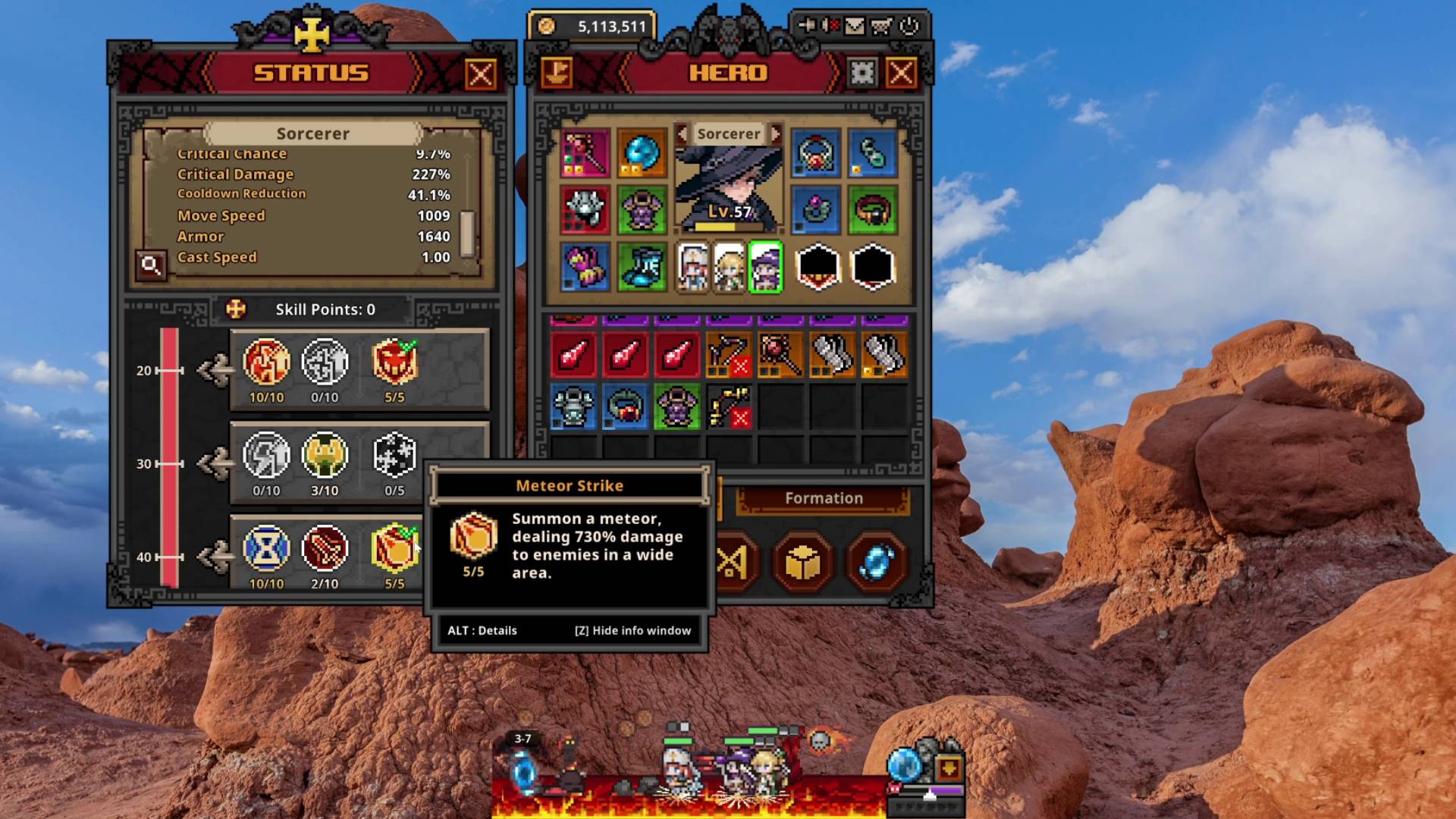
Mouse clicks handle everything else in TBH Task Bar Hero. The game has no documented hotkeys for combat, skills, or inventory, because the heroes fight automatically. You click the interface to manage loot, upgrades, and settings.
| Action | How to Do It |
|---|---|
| Toggle Auto-Retry | Click the Auto-Retry icon in the bottom-right corner of the taskbar window |
| Open your mailbox | Click the mailbox icon, then refresh it to claim waiting items |
| Use the Hero-dric Cube | Click the Cube System and process items one at a time |
| Trade items | Use the Trade Ship or the Steam Market |
| Open chests | Click the chest and wait for the server to confirm your rewards |
How the Auto-Retry Toggle Works
The Auto-Retry icon is the most important control for AFK farming. A blue icon means Auto-Retry is on, and your hero restarts a stage after a failed run. A gray icon means Auto-Retry is off, so a single failed run stops your progression and ruins overnight gains.
Pro Tip. Check the Auto-Retry icon before you leave the game running overnight. A gray icon is the most common reason players report that AFK farming stopped working.
How to Fix a Missing or Tiny TBH Task Bar Hero Window
Most window problems come from monitor changes or mixed display scaling. The game runs in a borderless desktop window designed to sit above the taskbar, so it reacts strongly to Windows display settings. Dragging the window between monitors with different scaling, such as 100% on one screen and 150% on the other, often shrinks it or pushes it off screen.
Follow this order to recover your window.
- Click the TBH Task Bar Hero icon on the taskbar.
- Press Shift + F11 to reset the scale.
- Press Shift + F12 to reset the position.
- Restart the game if the window still looks wrong.
- Keep the same display scaling on every monitor.
Fix the Black Background Bug
TBH Task Bar Hero needs Windows transparency to draw heroes over the taskbar. Overlay programs such as Discord Overlay, NVIDIA Overlay, GeForce Experience, MSI Afterburner, and RivaTuner Statistics Server can break that transparency and show a solid black box. Close the game, disable the overlay, and relaunch. If the black box disappears, add TBH Task Bar Hero to the overlay’s exclusion list.
TBH Task Bar Hero Game Basics for New Players
Knowing what each system does makes the controls easier to understand. The game has 3 Acts, 4 difficulty tiers, more than 500 unique items, and more than 50 monster types. Loot rarity runs from Common, Uncommon, Rare, and Legendary up to Immortal, Arcana, Beyond, Celestial, Divine, and Cosmic.
The Cube System lets you add and customize stats on your items. Server delays can slow Cube results and chest rewards during busy hours, because the game validates items through Steam Market integration. Wait for each action to finish before you click again, since rapid repeated clicks raise the risk of inventory desync.
FAQ
What are the TBH Task Bar Hero controls?
TBH Task Bar Hero uses mouse clicks for almost everything, because your heroes fight and collect loot automatically. The only documented keyboard hotkeys are Shift + F12 to reset the window position and Shift + F11 to reset the window scale.
How do you fix a missing TBH Task Bar Hero window?
Click the game’s taskbar icon and press Shift + F12. This snaps the window back to your primary monitor. Press Shift + F11 as well if the window looks tiny.
What does Shift + F11 do in TBH Task Bar Hero?
Shift + F11 resets the interface scale to the default size. Use it when the game window shrinks into an unreadable box after you change monitor layouts or Windows display scaling.
What does Shift + F12 do in TBH Task Bar Hero?
Shift + F12 resets the window position. It brings the game back to your primary display when the window disappears or drifts off screen.
Why did my TBH Task Bar Hero AFK farming stop overnight?
Auto-Retry is usually off. Check the bottom-right corner of the game window and make sure the Auto-Retry icon shows blue. A gray icon lets one failed run stall your whole farming loop.
Why is the TBH Task Bar Hero background black?
Overlay software like Discord Overlay, GeForce Experience, or RivaTuner breaks the transparency the game needs. Disable the overlay or add the game to its exclusion list.
Does TBH Task Bar Hero support a controller?
The Steam page does not list controller support, and the game uses mouse clicks and two keyboard hotkeys. Keyboard and mouse is the only documented way to play.
Is TBH Task Bar Hero free?
Yes. The base game is free to play on Steam. Optional paid add-ons include the Hunter and Slayer classes, extra stash space, and the Trade Ship Pack, while the Priest class is free.