WARDOGS Keyboard Controls: What You Need to Know
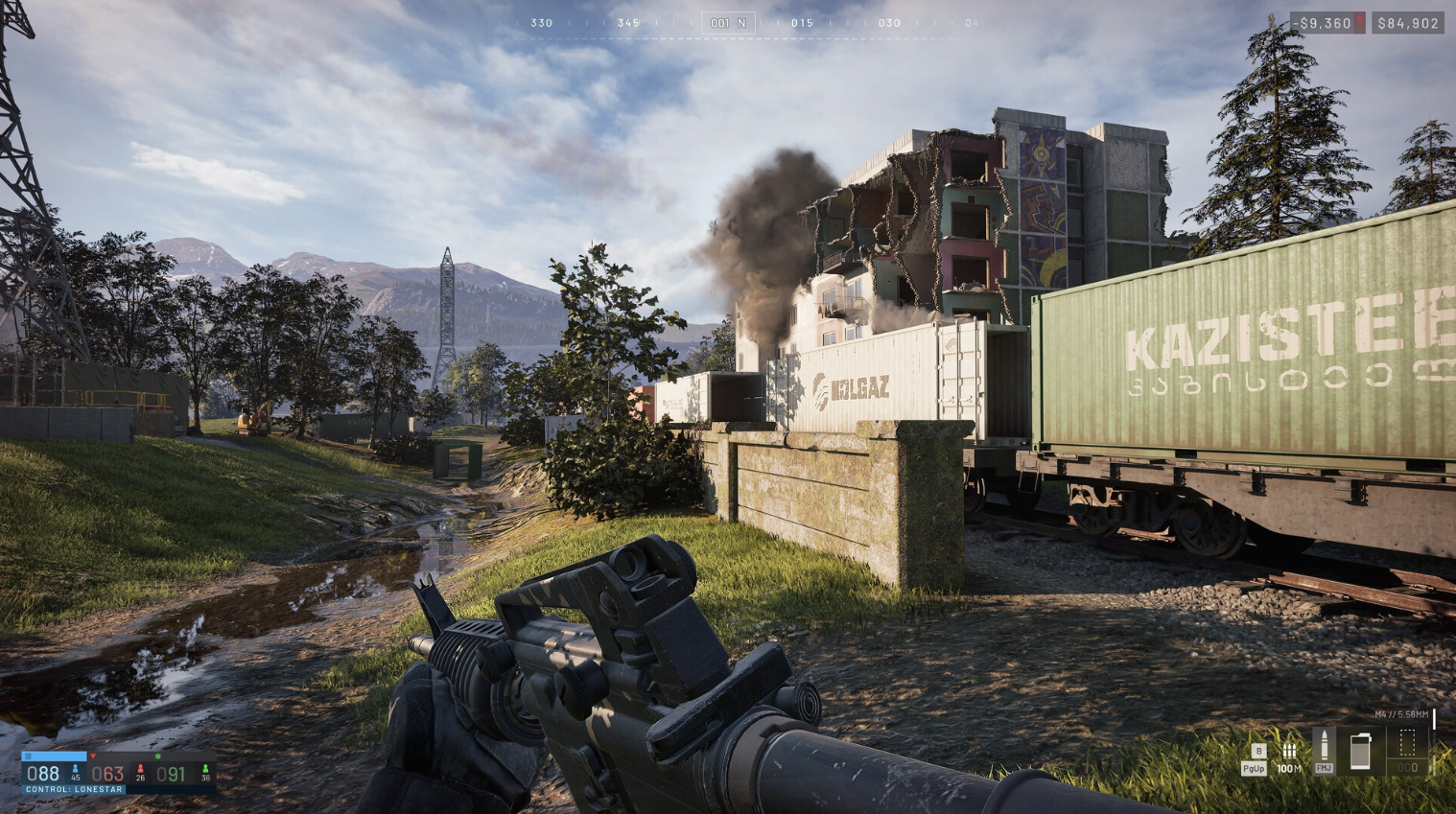
WARDOGS keyboard controls cover infantry movement, ground vehicles, helicopters, air vehicles, base building, and squad communication across a single unified input system. BULKHEAD, the studio behind Battalion 1944 and published by Team17, launched WARDOGS into Steam Early Access on September 10, 2026. The game puts 100 players across three teams onto a 2×2 km randomized Control Zone, making fast access to every keybind a direct factor in survival.
WARDOGS supports keyboard and mouse as the primary input method, with partial gamepad support for Xbox Series X/S and PS5 controllers confirmed at Early Access launch. BULKHEAD has stated clearly that “keyboard and mouse will always be the optimal way to experience WARDOGS on PC,” as the game targets PC players first.
Stat: WARDOGS fits 100 players into a 2×2 km zone. Players who reach vehicle controls without hunting for the right key gain a decisive reaction-speed advantage in every engagement.
WARDOGS PC Keybinds: Keyboard and Mouse
WARDOGS PC keybinds follow a layout close to standard tactical FPS conventions, so most of the infantry bindings will feel familiar from day one. The vehicle and helicopter controls introduce new inputs that need deliberate practice before you commit to those roles in a live match.
WARDOGS Infantry Controls (Keyboard)
Movement Keybinds
| Action | Default Key |
|---|---|
| Move Forward | W |
| Move Backward | S |
| Strafe Left | A |
| Strafe Right | D |
| Sprint | Left Shift |
| Slow Walk | Alt |
| Jump | Space |
| Crouch | C |
| Prone | Ctrl |
| Lean Left | Q |
| Lean Right | E |
WARDOGS Weapon and Item Hotkeys
| Action | Default Key |
|---|---|
| Primary Use / Fire | Left Mouse Button |
| Secondary Use / ADS | Right Mouse Button |
| Focus / Hold Breath | Left Shift |
| Melee Bash | V |
| Reload | R |
| Cycle Fire Mode | B |
| Cycle Sights | Z |
| Mount / Toggle Bipod | G |
| Deploy Parachute | Space |
| Cut Parachute | C |
| Holster Item | X |
| Inspect Weapon | I |
| Increase Zeroing | Page Up |
| Decrease Zeroing | Page Down |
| Quick Slot 1 to 9 | 1 through 9 |
| Equipment Wheel | 4 |
| Next Slot | Scroll Wheel Down |
| Previous Slot | Scroll Wheel Up |
WARDOGS Communication and Interaction Hotkeys
| Action | Default Key |
|---|---|
| Interact | F |
| Give Up / Respawn | F |
| Chat | Enter |
| Push-to-Talk (Squad) | J |
| Push-to-Talk (Proximity) | K |
| Toggle Voice Chat (Scoreboard) | U |
| Ping | Middle Mouse Button |
| Ping Wheel (Hold) | Middle Mouse Button |
| Tip | F1 |
| Bribe | F1 |
| Reject Tip | F2 |
Pro Tip: The proximity voice key (K) and squad voice key (J) reach completely different channels. New WARDOGS players frequently miss proximity chat by only pressing J. In a 100-player combined-arms match, proximity voice is a genuine tactical tool, not just atmosphere.
WARDOGS Build Tool Keybinds
| Action | Default Key |
|---|---|
| Dismantle | V |
| Rotate Buildable | R |
| Toggle Snapping | B |
WARDOGS UI and Map Hotkeys
| Action | Default Key |
|---|---|
| Pause Menu | Esc |
| Inventory | Tab |
| Tactical Map | M |
| Recenter Tactical Map | X |
| Zoom Minimap In | [ |
| Zoom Minimap Out | ] |
| Toggle Vault | V |
WARDOGS Vehicle Controls (Keyboard)
WARDOGS vehicle controls on keyboard use the W/A/S/D cluster for throttle and steering, keeping your hands in a familiar position from infantry mode. Ground vehicles, tracked tanks, and wheeled transports all share the same base layout below.
WARDOGS Ground Vehicle Keybinds
| Action | Default Key |
|---|---|
| Throttle / Accelerate | W |
| Brake / Reverse | S |
| Steer Left | A |
| Steer Right | D |
| Handbrake | Space |
| Gear Shift Reverse | R |
WARDOGS General Vehicle Hotkeys (All Vehicles)
| Action | Default Key |
|---|---|
| Enter / Exit Vehicle | F |
| Next Seat | 0 |
| Previous Seat | 9 |
| Lock / Unlock Vehicle | L |
| Activate Countermeasure / Flares | V |
| Buy Ammo / Supplies | B |
| Deploy Supply Crate | G |
| Horn | H |
WARDOGS Vehicle Weapon Keybinds
| Action | Default Key |
|---|---|
| Fire Weapon | Left Mouse Button |
| Cycle Weapons | Z |
| Cycle Fire Mode | B |
| Eject From Projectile | C |
| Weapon Pitch Up | W |
| Weapon Pitch Down | S |
| Weapon Yaw Left | A |
| Weapon Yaw Right | D |
WARDOGS Vehicle Camera Controls
| Action | Default Key |
|---|---|
| Toggle Free Look | Alt |
| Toggle Camera Mode | C |
| Camera Left View | Left Arrow |
| Camera Right View | Right Arrow |
| Camera Rear View | Down Arrow |
| Camera Zoom In | Page Up |
| Camera Zoom Out | Page Down |
WARDOGS Helicopter Controls (Keyboard)
WARDOGS helicopter controls on keyboard use collective, cyclic, and yaw inputs mapped across WASD, Q/E, and the Shift/Ctrl pair. This layout borrows from realistic aviation conventions rather than arcade flight games, so expect a steeper learning curve than ground vehicle controls.
| Action | Default Key |
|---|---|
| Collective Raise (Climb) | Left Shift |
| Collective Lower (Descend) | Ctrl |
| Cyclic Pitch Forward | W |
| Cyclic Pitch Backward | S |
| Cyclic Roll Right | D |
| Cyclic Roll Left | A |
| Yaw Left | Q |
| Yaw Right | E |
| Toggle Free Look | Alt |
| Deploy Parachute / Bail Out | Space |
| Activate Countermeasure / Flares | V |
| Enter / Exit Vehicle | F |
| Next Seat | 0 |
Pro Tip: Collective sits on Left Shift and Ctrl, the same fingers you use for sprint and prone in infantry mode. Your muscle memory will fight you until you spend dedicated time flying before competitive matches. Practice in low-stakes rounds first.
Stat: BULKHEAD confirmed that aim assist in WARDOGS exists “only to a small degree” for controller players, adding that “playing without it is honestly just comically bad.” WARDOGS helicopter controls on keyboard and mouse remain the clear choice for air vehicle combat where fine precision matters.
WARDOGS Controller Keybinds: Xbox Series X/S
WARDOGS Xbox controller keybinds use three separate profiles: infantry, ground vehicles, and air vehicles. The game switches profiles automatically when you enter or exit a vehicle.
WARDOGS Xbox Controller Keybinds: Infantry
| Action | Button |
|---|---|
| Move | Left Stick |
| Look / Aim | Right Stick |
| Fire / Primary Use | RT |
| ADS / Secondary Use | LT |
| Lean Left | LB |
| Lean Right / Melee | RB |
| Jump | A |
| Crouch Prone | B |
| Interact / Reload | X |
| Next Weapon | Y |
| Sprint / Focus | L3 (Left Stick Click) |
| Ping / Ping Wheel | R3 (Right Stick Click) |
| Cycle Fire Mode / Zeroing Up | D-Pad Up |
| Next Item | D-Pad Right |
| Toggle Voice Chat | D-Pad Down |
| Inventory / Tactical Map | View Button |
| Pause Menu | Menu Button |
WARDOGS Xbox Controller Keybinds: Ground Vehicles
| Action | Button |
|---|---|
| Steer | Left Stick |
| Free Look Camera | Right Stick |
| Throttle | RT |
| Brake | LT |
| Handbrake | A |
| Next Seat | B |
| Interact | X |
| Toggle Free Look | D-Pad Left |
| Toggle Camera Mode | D-Pad Right |
| Toggle Voice Chat | D-Pad Down |
| Horn | L3 |
| Ping | R3 |
WARDOGS Xbox Controller Keybinds: Air Vehicles and Helicopters
| Action | Button |
|---|---|
| Cyclic (Pitch and Roll) | Left Stick |
| Pedals / Free Look Camera | Right Stick |
| Collective Raise / Fire Weapon | RT |
| Collective Lower | LT |
| Activate Countermeasure | D-Pad Up |
| Toggle Free Look | D-Pad Left |
| Toggle Camera Mode | D-Pad Right |
| Toggle Voice Chat | D-Pad Down |
| Next Seat | B |
| Interact | X |
| Horn | L3 |
| Ping | R3 |
WARDOGS PS5 Controller Keybinds
WARDOGS PS5 controller keybinds mirror the Xbox layout functionally, with DualSense button names in place of Xbox labels.
WARDOGS PS5 Keybinds: Infantry
| Action | Button |
|---|---|
| Move | Left Stick |
| Look / Aim | Right Stick |
| Fire / Primary Use | R2 |
| ADS / Secondary Use | L2 |
| Lean Left | L1 |
| Lean Right / Melee | R1 |
| Jump | Cross |
| Crouch Prone | Circle |
| Interact / Reload | Square |
| Next Weapon | Triangle |
| Sprint / Focus | L3 |
| Ping / Ping Wheel | R3 |
| Cycle Fire Mode / Zeroing Up | D-Pad Up |
| Next Item | D-Pad Right |
| Toggle Voice Chat | D-Pad Down |
| Inventory / Tactical Map | Create Button |
| Pause Menu | Options Button |
WARDOGS PS5 Keybinds: Ground Vehicles
| Action | Button |
|---|---|
| Steer | Left Stick |
| Free Look Camera | Right Stick |
| Throttle | R2 |
| Brake | L2 |
| Handbrake | Cross |
| Next Seat | Circle |
| Interact | Square |
| Toggle Free Look | D-Pad Left |
| Toggle Camera Mode | D-Pad Right |
| Toggle Voice Chat | D-Pad Down |
| Horn | L3 |
| Ping | R3 |
WARDOGS PS5 Keybinds: Air Vehicles and Helicopters
| Action | Button |
|---|---|
| Cyclic | Left Stick |
| Pedals / Free Look Camera | Right Stick |
| Collective Raise / Fire Weapon | R2 |
| Collective Lower | L2 |
| Activate Countermeasure | D-Pad Up |
| Toggle Free Look | D-Pad Left |
| Toggle Camera Mode | D-Pad Right |
| Toggle Voice Chat | D-Pad Down |
| Next Seat | Circle |
| Interact | Square |
| Horn | L3 |
| Ping | R3 |
How to Rebind WARDOGS Keybinds and Hotkeys
WARDOGS keybind remapping is available through Settings > Controls in the main menu. The rebind screen organizes WARDOGS hotkeys by role category: Infantry, Interaction, Inventory, Quick Slots, Construction, Vehicle Seats, Flight, Map, Communication, and Parachute. Review all categories before your first full match, since some default keys overlap between categories and a conflict in one section can silently break another.
BULKHEAD has not published a static official keybind sheet for WARDOGS, and default bindings changed between Beta builds. Always verify your WARDOGS key bindings in the live client after a major update.
Pro Tip: If local voice disappears mid-match, BULKHEAD’s published fix is to open the scoreboard and press U twice. This resets the voice connection without a full restart and restores all proximity and squad channels immediately.
FAQ
What are the default WARDOGS keyboard controls for movement?
The default WARDOGS movement keybinds are W (forward), S (backward), A (strafe left), and D (strafe right). Left Shift sprints, Space jumps, C crouches, Ctrl goes prone, and Q and E handle leaning left and right.
What are the WARDOGS helicopter controls on keyboard?
WARDOGS helicopter controls on keyboard use Left Shift to raise collective (climb) and Ctrl to lower it. W/S handle cyclic pitch, A/D handle cyclic roll, and Q/E control yaw. Alt toggles free look, Space deploys a parachute when bailing out, and V activates countermeasures.
Does WARDOGS support a controller on PC?
Yes. WARDOGS supports Xbox Series X/S and PS5 controllers on PC as partial gamepad support at Early Access launch. BULKHEAD confirmed a small degree of aim assist for controller players but stated that keyboard and mouse remain the optimal input for WARDOGS.
What key enters a vehicle in WARDOGS?
The WARDOGS enter vehicle key is F. Once inside, use 9 and 0 to cycle between available seats.
How do I activate countermeasures and flares in WARDOGS?
The WARDOGS countermeasure hotkey is V on keyboard. On Xbox controller it is D-Pad Up, and on PS5 controller it is also D-Pad Up. The same binding applies to helicopters and ground vehicles equipped with flare or countermeasure systems.
Can I rebind WARDOGS controls?
Yes. WARDOGS keybind remapping is available under Settings > Controls. The menu separates bindings by category including infantry, vehicle, helicopter, building, and communication. Check all sections after any game update because BULKHEAD adjusts default bindings between Early Access patches.
What is the WARDOGS tactical map hotkey?
Press M to open the WARDOGS Tactical Map. Press X to recenter it. Use [ and ] to zoom the minimap in and out during a match.