
Music notation extends far beyond traditional sheet music. Whether you are coding an audio player interface, editing a video timeline in Adobe Premiere Pro, or writing SEO-optimized meta descriptions for a record brand like Plak İstasyonu, inserting music symbols directly into your text saves valuable time. Relying on search engines to find a character and execute a music symbol copy paste interrupts your workflow. Standard mechanical keyboards and laptop layouts do not include dedicated keys for treble clefs, eighth notes, or flat signs. However, memorizing specific operating system shortcuts, Alt codes, and Unicode values allows you to type these characters instantly. Below, you will find the exact key combinations to insert musical notes, accidentals, and clefs across all major platforms.
Typing Music Symbols on Windows and macOS
Windows operating systems utilize the numeric keypad to generate standard musical notes. To use an alt code for music note insertion, verify Num Lock is active on the computer keyboard. Press and hold the Alt key, type the corresponding number sequence on the Numpad, and release the Alt key. For users figuring out how to type music symbol on keyboard layouts that lack a physical Numpad, pressing the Windows Key and Period (.) keys simultaneously opens the native symbol menu where you can select the notation characters manually.
Apple computers handle these inputs differently. While macOS supports Unicode hex input natively in some applications, the most reliable method for an Apple Magic Keyboard is the Character Viewer. Pressing Command, Control, and Space opens this menu, allowing you to search for exact notation marks.
| Action or Character | Windows Alt Code | macOS Shortcut or Input |
| Eighth Note (♪) | Alt + 13 | Character Viewer (Search “Note”) |
| Beamed Eighth Notes (♫) | Alt + 14 | Character Viewer (Search “Note”) |
| Flat Sign (♭) | Alt + 9837 | Character Viewer (Search “Flat”) |
| Natural Sign (♮) | Alt + 9838 | Character Viewer (Search “Natural”) |
| Sharp Sign (♯) | Alt + 9839 | Character Viewer (Search “Sharp”) |
Advanced Music Symbol Copy Paste and Unicode Values
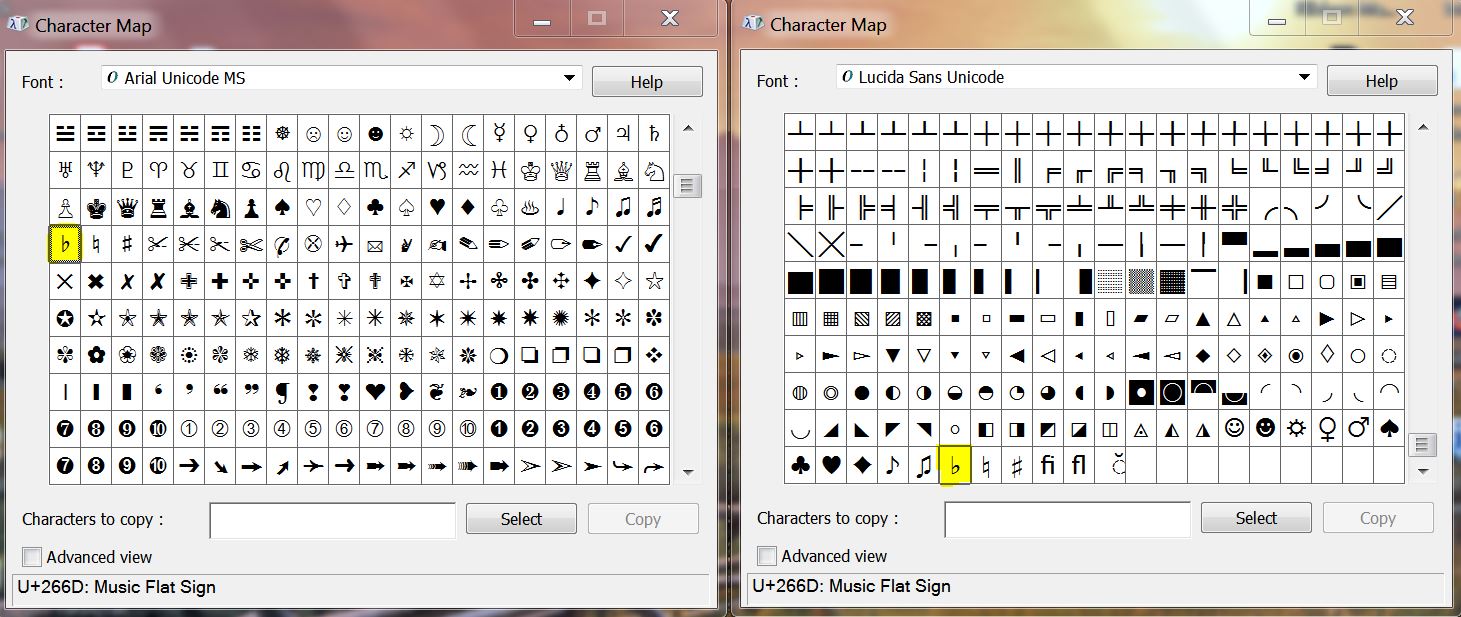
Standard eighth notes cover basic text requirements, but technical documentation, UI design, and advanced digital publishing require accurate accidentals and clefs. When keyboard shortcuts fail or specific word processors block Alt codes, utilizing a direct music symbol copy paste method from the character map below guarantees accurate formatting. You can copy any of these variations directly into your active project.
| Symbol Name | Music Symbol | Unicode Hex Value |
| Quarter Note | ♩ | U+2669 |
| Eighth Note | ♪ | U+266A |
| Beamed Eighth Notes | ♫ | U+266B |
| Beamed Sixteenth Notes | ♬ | U+266C |
| Treble Clef | 𝄞 | U+1D11E |
| Bass Clef | 𝄢 | U+1D122 |
| Musical Flat Sign | ♭ | U+266D |
| Musical Sharp Sign | ♯ | U+266F |
Implementing Musical Notation in Code and Web Design
Web developers and content managers cannot always rely on raw keyboard inputs when structuring HTML documents. Web browsers require specific character encoding to render a treble clef or flat sign correctly across different screen resolutions and mobile operating systems.
When placing a musical character inside a website header, meta description, or a continuous string of text, developers utilize specific HTML entities or CSS properties. This ensures the characters display flawlessly without breaking the surrounding layout or causing validation errors.
| Software or Environment | Implementation Method | Syntax or Entity |
| Word Processors | Unicode Hex Conversion | Type 266A and press Alt + X |
| HTML Document | HTML Entity Number (Eighth Note) | ♪ |
| HTML Document | HTML Entity Number (Beamed Notes) | ♫ |
| CSS Stylesheet | CSS Content Property (Flat Sign) | \266D |
| JavaScript | Unicode Escape (Sharp Sign) | \u266F |
Frequently Asked Questions
How do I type a music symbol on laptop without number pad?
Press the Windows Key and the Period (.) key at the same time. This action opens the Windows symbol picker. Navigate to the symbols tab to find and insert various musical notes directly into your document.
Why does my alt code for music note show a blank box or a question mark?
The current font you are using does not support that specific Unicode character. Highlight the blank box and change your text font to a universal option like Arial, Times New Roman, or Segoe UI Symbol to render the mark correctly.
What is the quickest mac shortcut for music note insertion?
Press Command, Control, and Spacebar simultaneously to open the macOS Character Viewer. Type the word “music” into the search bar to immediately access all available musical notes, rests, and clefs.
Is the sharp symbol exactly the same as a standard keyboard hashtag?
No. A true musical sharp sign (♯) features slanted horizontal lines and perfectly vertical upright lines. A standard keyboard hashtag (#) features slanted upright lines and perfectly horizontal cross lines.